Conference Table Layouts: A Practical Guide to Choosing the Right Setup
 MySeatPlan
·
MySeatPlan
·
The layout of your conference room decides how people listen, talk, and work together. Here's a clear breakdown of every major setup, when to use it, and how many people each one really holds.
Ready to create your own event seating chart?
Try our free drag-and-drop seating chart builder.
Get Started →The layout of a conference room does more than decide where people sit. It decides how they listen, how they talk to each other, how much they participate, and whether they leave energized or exhausted. The wrong setup can quietly kill a session that would have gone well in a different room. The right one makes even a dry agenda feel focused and productive.
This guide walks through every major conference table layout, when each one works, how many people it actually seats (not the inflated number on the brochure), and how to pick the right one for the kind of meeting or event you're running.
Start With the Goal, Not the Room
Before picking a layout, answer one question: what do you need the people in the room to do?
- Listen to one speaker. Theater, classroom, or chevron.
- Discuss as a group of equals. Boardroom, hollow square, or round tables.
- Break into small working groups. Cabaret, pods, or banquet rounds.
- Present to each other with some interaction. U-shape or horseshoe.
- Eat and network. Banquet rounds, cocktail rounds, or long family-style tables.
Once you know the primary activity, the layout almost picks itself. Pick the wrong one and you'll spend half the session watching people turn their chairs sideways to see the screen.
The Main Conference Layouts, Compared
Here's a quick reference for the most common setups, with realistic capacity ranges for a standard 1,000 sq ft / 93 m² meeting room.
| Layout | Best for | Typical capacity (1,000 sq ft) |
|---|---|---|
| Boardroom | Decision-making meetings | 10 to 20 |
| U-shape | Training with discussion | 15 to 25 |
| Hollow square | Peer discussions, workshops | 20 to 30 |
| Classroom | Training, note-taking sessions | 30 to 50 |
| Theater | Presentations, keynotes | 60 to 100 |
| Banquet rounds | Meals, galas, networking | 60 to 80 |
| Cabaret (crescent rounds) | Training with meals | 40 to 55 |
| Chevron (V-shape rows) | Presentations with notes | 40 to 60 |
Now let's break each one down in detail.
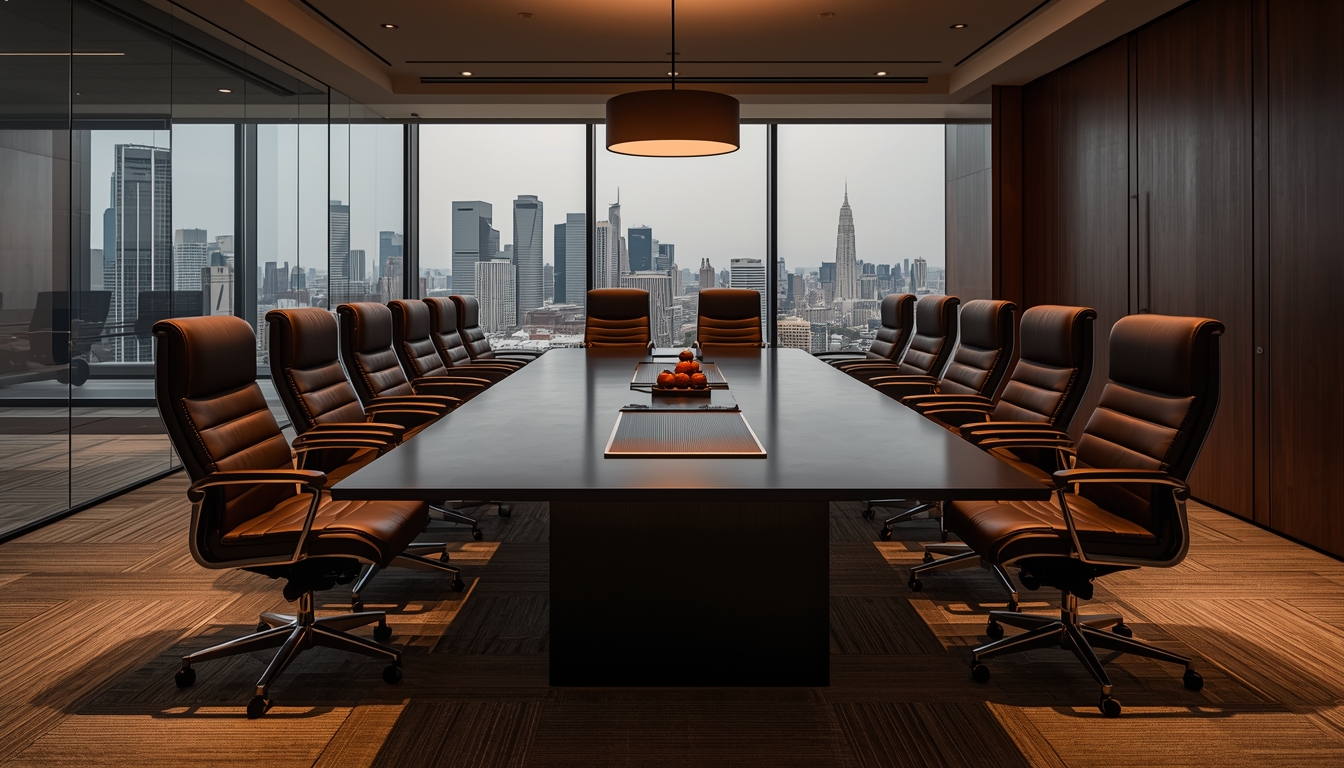
Boardroom Layout
One long rectangular or oval table, chairs on both sides and at the ends. This is the classic executive meeting setup, and it works because it puts every participant at an equal distance from the decision-makers.
Use it when: the group is 8 to 20 people, everyone needs to contribute roughly equally, and the meeting is about discussion and decisions rather than a one-way presentation.
Pros: Encourages dialogue. Signals that everyone's voice matters. Easy to take notes. Works well for hybrid meetings with one screen at the end.
Cons: Scales poorly past 20 people, anyone further than 10 feet from the end of the table will struggle to hear. A dominant speaker at the head of the table can take over the entire conversation.
Capacity rule: plan for 24 inches of table edge per person. A 10-foot table seats about 10 people (four on each side, one at each end).
U-Shape Layout
Tables arranged in a U, with chairs on the outside only. A presenter stands at the open end, with a screen or whiteboard behind them.
Use it when: you're running training for 15 to 25 people, and you want a balance between presentation and group discussion.
Pros: Every attendee can see the presenter and most of the other participants. Encourages interaction without giving up the structure of a clear front-of-room. Works well for workshops, certifications, and mid-size training.
Cons: Takes up significant floor space for the number of people it seats. The center of the U is dead space, which feels awkward unless the presenter uses it actively.
Capacity rule: each side of the U needs about 30 inches per person. A 6-foot table on each side seats roughly 3 people per table.
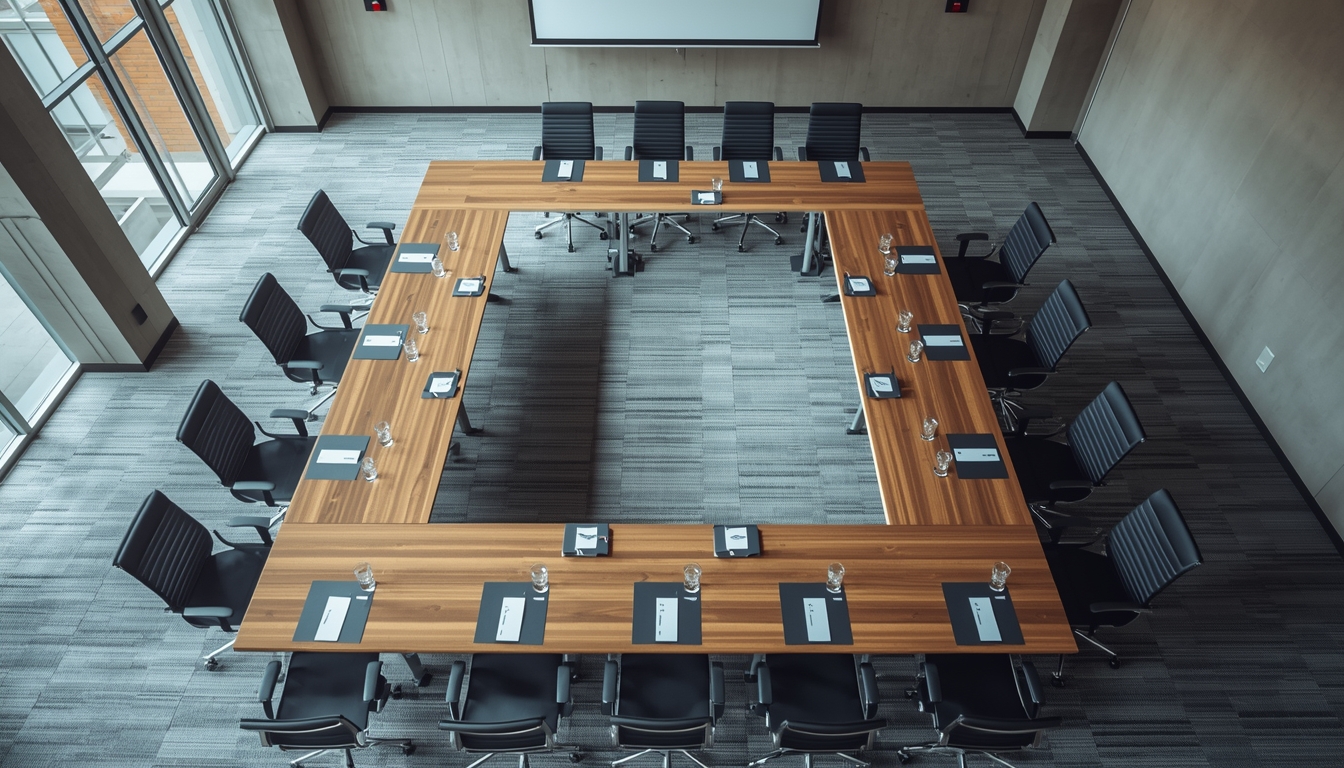
Hollow Square Layout
Tables arranged in a closed square or rectangle, chairs on the outside, no one in the middle. Similar to boardroom but scales to larger groups.
Use it when: you're running a peer-level workshop for 20 to 30 people with no single presenter, like a strategy session, an advisory board, or a roundtable discussion.
Pros: Everyone can see everyone else. No hierarchy implied. Encourages cross-table discussion.
Cons: Poor for presentations, half the room will have to turn around to face a screen. Wastes the center space. Hard to do breakouts without moving tables.
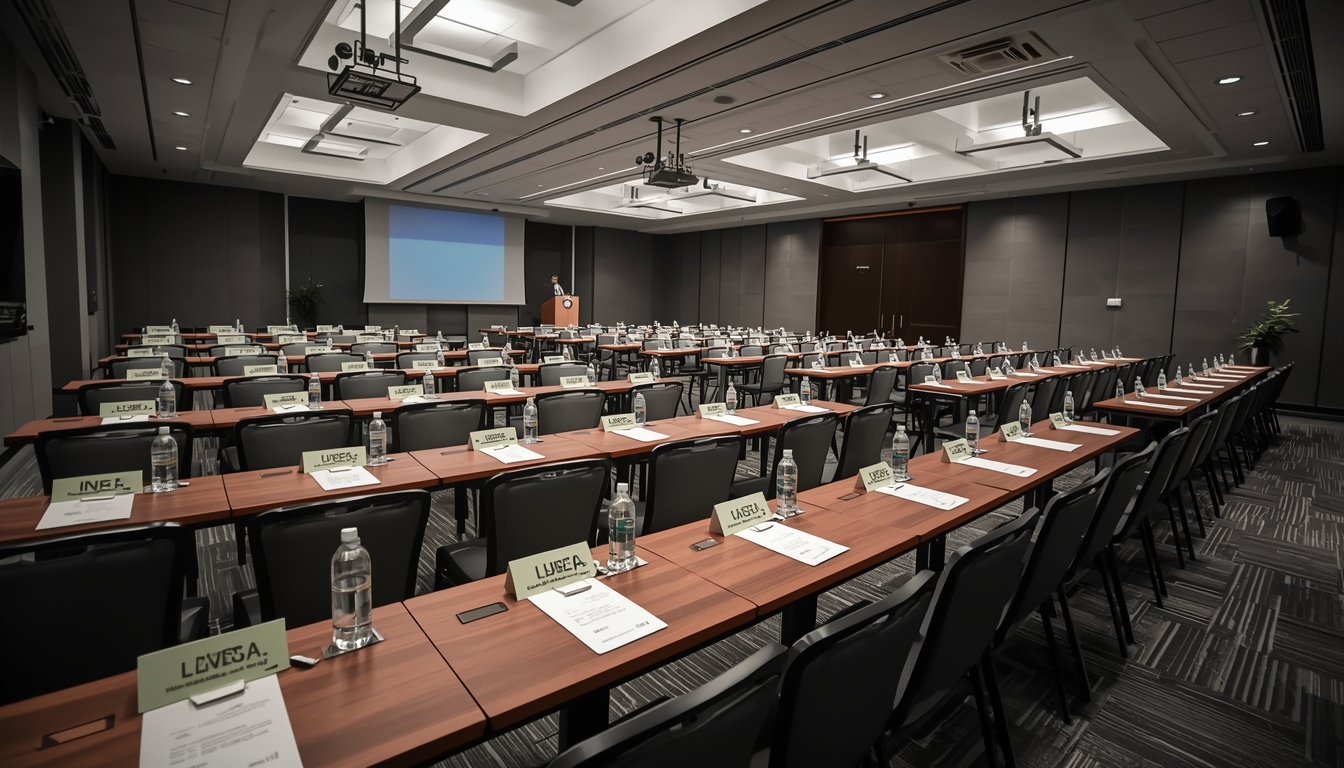
Classroom Layout
Rows of long narrow tables facing the front, with chairs on one side of each table only. Similar to a traditional classroom, hence the name.
Use it when: attendees need to take notes, use laptops, or reference printed material during a presentation. Think training sessions, certifications, and technical workshops.
Pros: Maximizes the number of people who can take notes comfortably. Keeps attention forward. Efficient use of space compared to U-shape.
Cons: Back rows disengage easily. Discourages discussion, you're staring at the back of someone's head, not at a group. Sight lines to the screen can be blocked by people in front.
Capacity rule: each person needs 24 to 30 inches of table width and about 3 feet of depth between rows. A 6-foot table seats 2 to 3 people classroom-style.
Theater Layout
Rows of chairs facing the front, no tables. Like a movie theater or lecture hall.
Use it when: the primary activity is listening, and attendees don't need to write much. Keynotes, product announcements, town halls, and panels all work well in theater style.
Pros: Fits the most people into a given space. Fast to set up and tear down. Keeps all eyes forward.
Cons: No surface for notes, laptops, or drinks. Hard to sustain for more than 90 minutes without breaks. Discourages interaction.
Capacity rule: each person needs about 8 to 10 square feet of floor space including aisles. For any session over 60 people, you'll need a center aisle for flow.
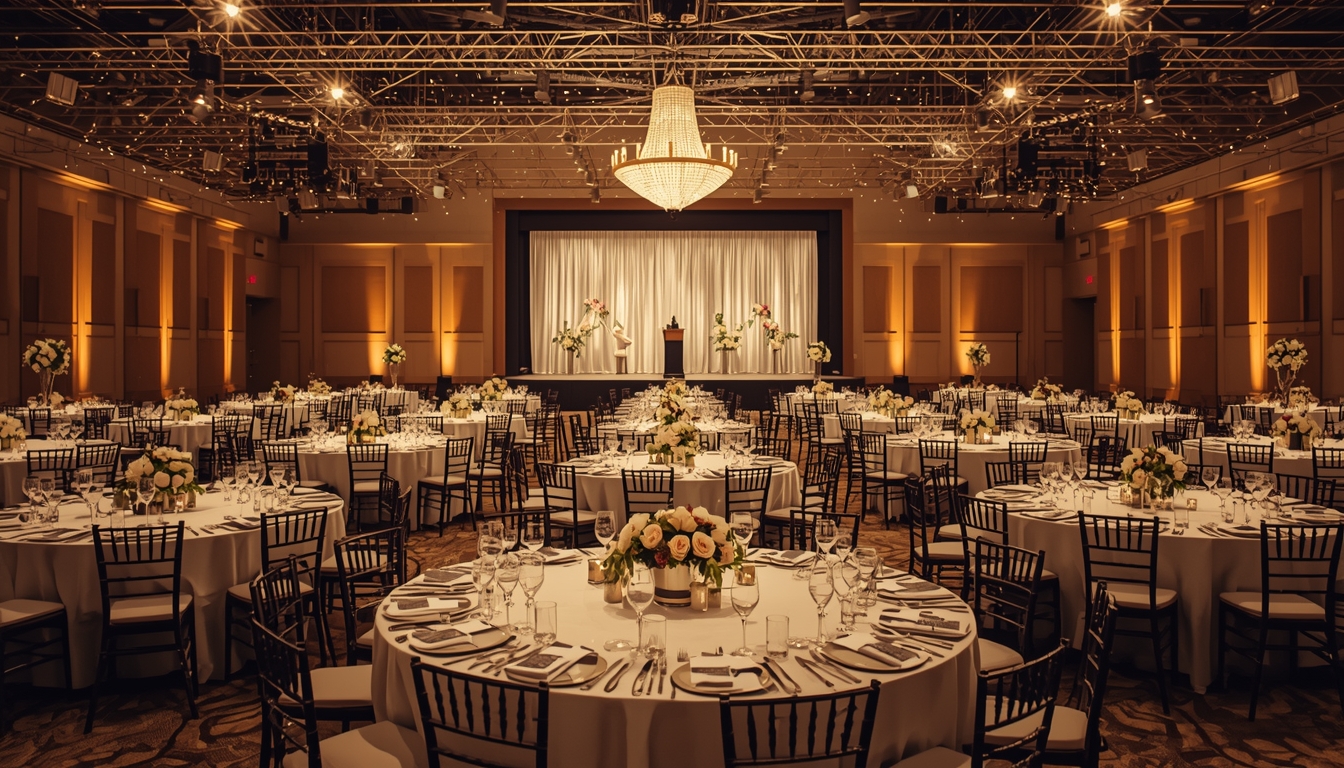
Banquet Rounds
Round tables of 8 to 12 guests each, spread evenly around the room. Standard for meals, galas, and networking-heavy events.
Use it when: food is involved, or when you want small conversational groups inside a larger event. Awards dinners, corporate galas, conference meal breaks, and fundraisers all use this.
Pros: Creates natural conversation clusters of 8 to 10 people. Easy to combine with a presentation from a front-of-room stage. Works beautifully for galas and formal dinners.
Cons: Not everyone at the table can see a front-of-room screen without turning their chair. Takes up the most floor space per attendee of any layout.
Capacity rule: a 60-inch round seats 8 comfortably, a 72-inch round seats 10, a 6-foot round can push to 12 but people bump elbows. For corporate galas specifically, we go deeper in the corporate event seating chart guide.
Cabaret Layout (Crescent Rounds)
Round tables like banquet, but chairs are only placed on the half of the table facing the presenter. The back half of each table stays empty.
Use it when: you're running a training or working session with a meal or long refreshments, and you need attendees to see a presenter and discuss with their table.
Pros: Combines the best of banquet and classroom. Natural small-group breakouts. Everyone faces the stage.
Cons: Seats only 5 to 6 per round instead of 8 to 10, so you need more tables (and more space) to fit the same group. Expensive on rentals.
Chevron Layout
Rows of tables angled in a V-shape pointing toward the front, like a shallow herringbone. A variation on classroom that improves sight lines.
Use it when: classroom would work but the room is wide, or when you want a slightly more engaging feel than straight rows.
Pros: Better sight lines than classroom. Encourages more engagement because attendees can see each other slightly. Feels less rigid than straight rows.
Cons: Takes up more space than standard classroom. Requires a wider room to look right.
Pods or Cluster Layout
Small groups of 4 to 6 chairs around small round or square tables, scattered around the room. Common in hackathons, design sprints, and team-based workshops.
Use it when: the core activity is small-group work, and presentations are short interludes rather than the main event.
Pros: Maximum collaboration. Easy to rotate groups. Each pod has its own working space.
Cons: Hard to present to the full room, you'll need to ask groups to pause and turn around. Takes more floor space per person.
How to Choose the Right Layout
Work down this checklist, in order:
- What's the primary activity? Listening, discussion, working in groups, or eating? This narrows it to two or three options immediately.
- How many people? Cross-reference with the capacity table above. Don't trust the venue's stated capacity without asking whether it includes the stage, the AV table, and food stations.
- How long is the session? Anything over 90 minutes needs tables, water, and space to take notes. Theater-style for a 3-hour session is punishing.
- Is there food? If yes, banquet rounds or cabaret. If only coffee breaks, most layouts work.
- Is there AV? Confirm the screen placement works for every seat. In a hollow square, half the room will struggle no matter what. In a U-shape or classroom, it's fine.
- Will the layout change mid-event? If you need to switch from presentation to breakouts, pick a layout that can reconfigure, or plan turnover time with the venue.
Common Mistakes
- Trusting brochure capacity. Venues quote maximum legal occupancy, not comfortable capacity. Aim for 70 to 75% of the listed number, especially when food or AV is involved.
- Forgetting the stage and AV table. A 60-capacity theater room with a stage and speaker table at the front realistically seats 50.
- Wrong layout for session length. Theater works for 60 minutes. For a half-day training, use classroom or U-shape.
- Ignoring sightlines. Every seat should see the screen and the presenter without turning. Walk the room before attendees arrive and sit in the worst seat, if you can't see the slides, neither can the person paying to be there.
- No space for aisles or service. Wait staff, AV techs, and latecomers all need paths. A packed room with no aisles creates bottlenecks and fire-code issues.
- Picking a layout because it "looks impressive." A hollow square of 30 looks great in photos and kills discussion because nobody across the room can hear clearly. Pick for function first.
Hybrid Events: One Extra Consideration
If some attendees are joining remotely, your layout has to account for camera angles and microphones. Boardroom and U-shape work best, because a single camera at the front can capture most of the room. Classroom and theater work for webcast-style events where the remote audience is watching one presenter. Hollow square and pods are the hardest to stream, because there's no natural "front" for a camera to capture.
Sketching It Out Before You Commit
Before finalizing a layout, sketch it. Measure the actual room (not the listed dimensions), subtract the stage, AV tables, and any fixed obstructions, then lay out tables and chairs to scale. Walk through it. Count seats. Check sightlines.
For most corporate events this means a quick scale drawing on paper or in a seating chart tool. MySeatPlan's drag-and-drop seating chart builder lets you arrange tables and chairs in any of the layouts above, assign specific attendees to seats, and export a clean plan for your venue team. It's the same tool couples use for wedding seating charts, and the logic works identically for conferences, galas, and training events.
For the broader planning side of corporate events, our guide to corporate event seating charts covers name assignments, VIP placement, and coordination with the venue.
Quick Reference: Choosing Your Layout
| If your event is... | Use |
|---|---|
| An executive decision meeting (10 to 20) | Boardroom |
| A half-day training (15 to 25) | U-shape |
| A peer strategy workshop (20 to 30) | Hollow square |
| A full-day certification (30 to 50) | Classroom or chevron |
| A keynote or town hall (60+) | Theater |
| An awards gala or networking dinner | Banquet rounds |
| A training session with lunch included | Cabaret |
| A hackathon or design sprint | Pods |
The right conference layout is the one that matches what you actually need the room to do. Start with the goal, check the math on capacity, protect the sightlines, and sketch it before you commit. A good layout makes a meeting feel effortless. A bad one makes even a brilliant agenda feel like work.
Frequently asked questions
-
The best conference layout depends on your goal. Use theater style for presentations, boardroom for discussions, classroom for training, and banquet rounds for networking events. Choosing the right layout improves engagement and makes the session more effective.
Plan your perfect event seating arrangement
MySeatPlan gives you everything you need to organize your big day — all in one place.
- Drag-and-drop seating chart
- Guest list with RSVP tracking
- Export seating charts as images & PDF
- Share your plan with others via shareable link
- Design your invitation card
- Guest photo & video uploads